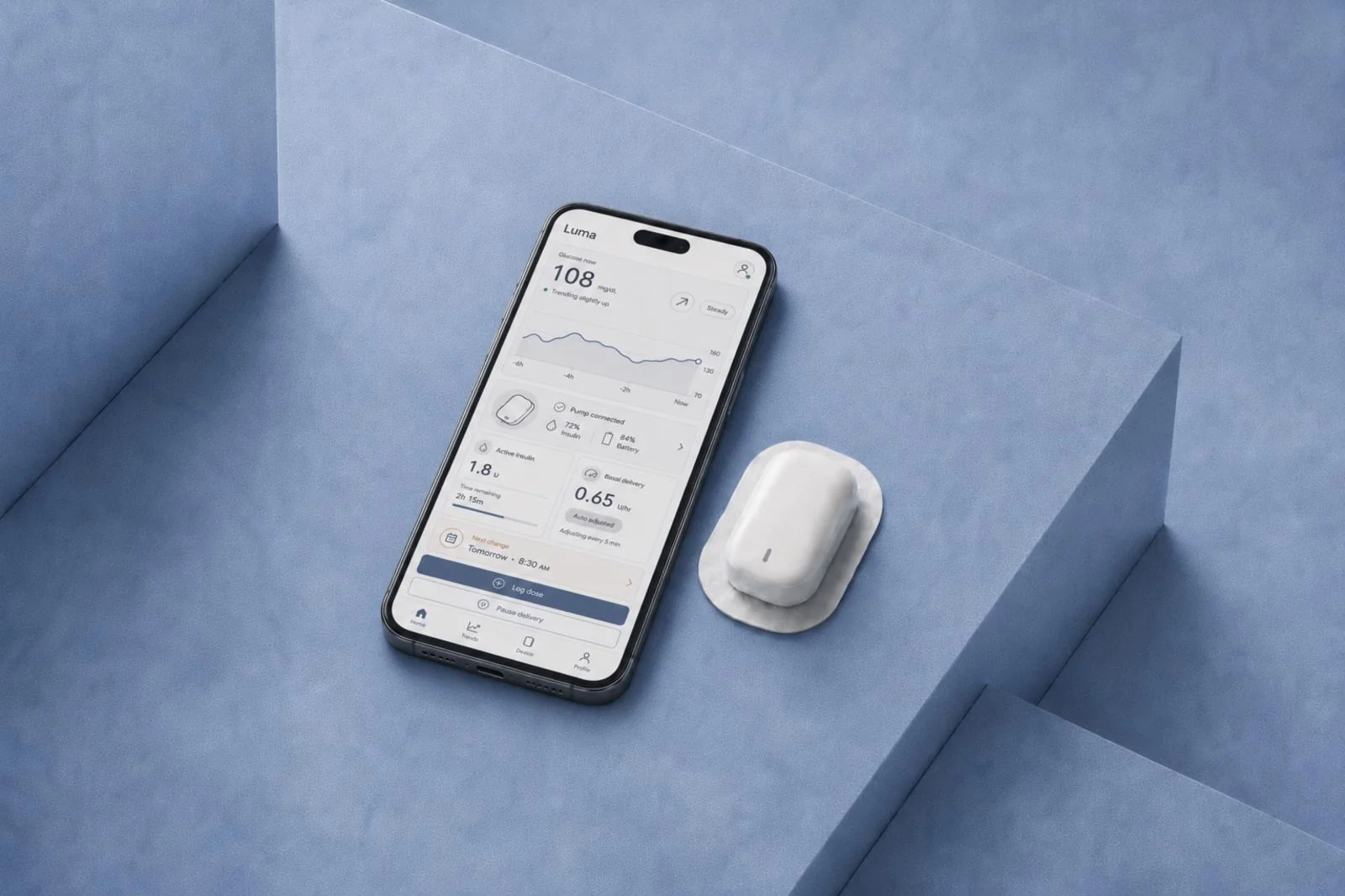
Illustrative reconstruction created for this case study. The original product interface is confidential and is not shown in this image. The app ran on a dedicated handheld device.
Product
A medical device startup developing a compact, wearable insulin patch pump with mobile connectivity for people with diabetes. The app used to control the pump ran on a dedicated handheld device, separate from the user’s own phone. The company was preparing the product for regulatory submission.
Role
Lead Designer, working with another designer from my team, two client-side designers and the wider multidisciplinary team. I designed the app’s workflows, wireframes and interface, contributed to research and usability testing, and led the design documentation.
Timeline
15 months leading app design and contributing to research, followed by eight months as a Senior Designer on a separate insulin-pump app for users’ own smartphones. That second project is summarised at the end.
Methods
Interviews
Usability testing
Workflow mapping
Information architecture
Prototyping
Design systems
Design documentation
Figma
Axure
Problem
A new pump needed an app for setup and everyday treatment
The medical device startup was developing a two-part insulin patch pump to address the bulk of tubed pumps and the running cost of fully disposable alternatives. Users would assemble the pump themselves, so the physical steps and on-screen guidance had to work together.
Design priority
Make setup and everyday treatment clear: show the pump’s current state, explain what users need to do next and provide useful feedback when an action or reading cannot be used.
Outcome
Follow-up testing showed fewer use errors and supported moving to formal usability validation.
Usability testing revealed difficulties with pump setup, treatment settings and blood sugar entry. We revised the workflows, instructions and feedback, then tested the changes with users.
I led the design documentation so engineering and testing teams had a shared reference for how the app should work.
The medical device startup’s technology was later acquired by a global medical-device company.
Understand
Understanding how people used their pumps day to day
I reviewed clinical evidence and existing pump products to understand the requirements. Remote interviews with experienced pump users helped me learn what they checked most often, how they described treatment and how the app would fit into their routines.
What do people need to check and do most often when using their pump?
Why this approach
The evidence helped me understand the product requirements. Interviews added the routines, priorities and language of people who already used pumps.
What the interviews showed
People regularly checked a small set of information. They expected familiar treatment terms and a clear record of previous activity.
How it shaped the product
I used those priorities to organise the app’s screens and navigation, then build realistic tasks for usability testing.
Test and refine
Where did people get stuck, and what needed to change?
We tested setup and treatment tasks with the pump and an interactive app prototype. The sessions helped us identify difficulties and revise the design before formal usability validation, the later evaluation of whether intended users could use the product safely.
Testing the whole setup journey
Participants unpacked the pump, read the instructions, assembled its parts and followed the setup steps in the app. Testing the hardware, printed instructions and app together showed where the on-screen guidance failed to support the physical steps.
Prototype and analysis
I built an Axure prototype that responded to inputs and reflected the device’s limits. I recorded whether each task was completed, completed with difficulty or failed, then examined what caused the problem, its consequences and how users recovered.
Two examples from the wider work on setup, treatment settings and blood sugar entry.
1Usability findingPump attachment
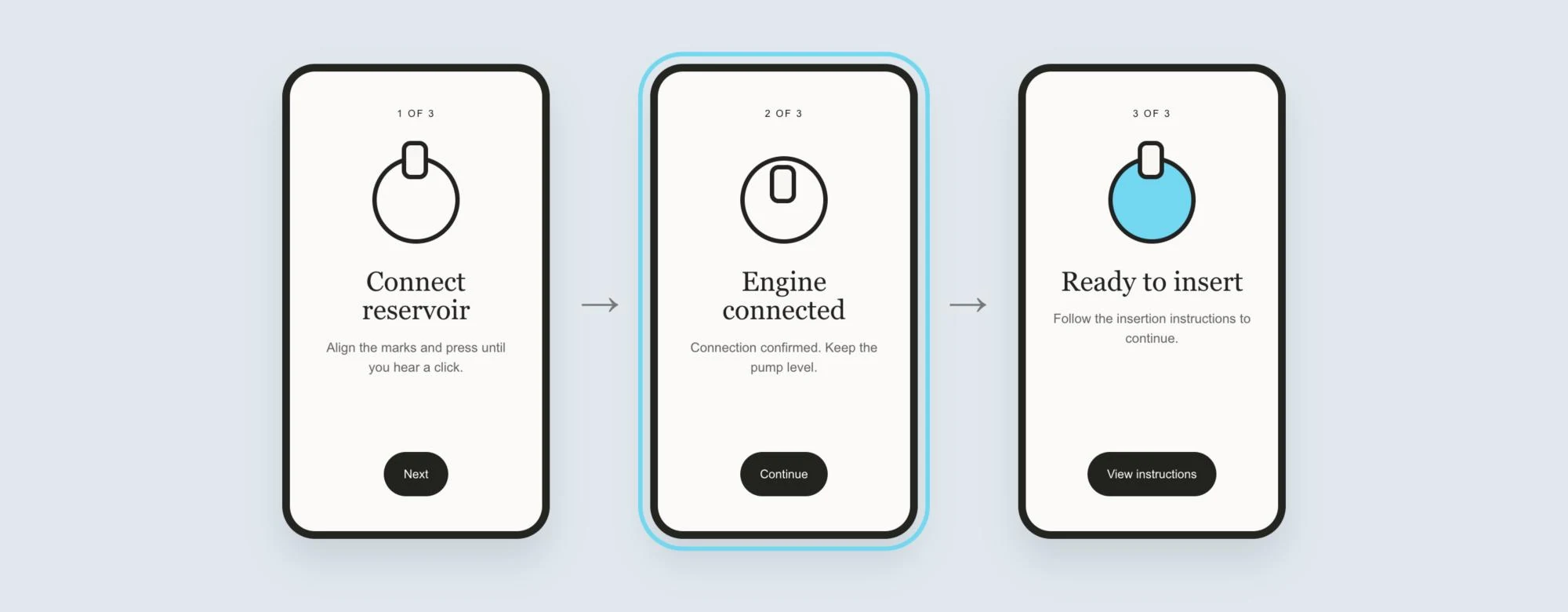
The app did not make the pump setup steps clear enough
First round
8Participants
2/8Failed pump attachment
2/8Completed attachment with difficulty
What happened
Two of eight participants failed to attach the pump; two more completed it only with difficulty.
Why
The app did not clearly show which setup step was complete or what the user needed to do next.
Instructions and feedback, revised after testing.
What we changed
We revised the sequence, instructions and feedback to make missed steps less likely.
The trade-off
We kept the instructions and status feedback visible, even when that meant showing more information on screen.
Follow-up testing
8Participants
0/8Failed pump attachment
2/8Completed attachment with difficulty
After the changes, nobody failed and only two of eight participants had difficulties, so we could proceed to formal usability validation.
2Usability findingBlood sugar entry
Showing the limit before users tried to continue
During usability testing, people were confused about which blood sugar readings the app could use to calculate a dose. They could enter a number and try to continue before discovering that it could not be used.
What happened
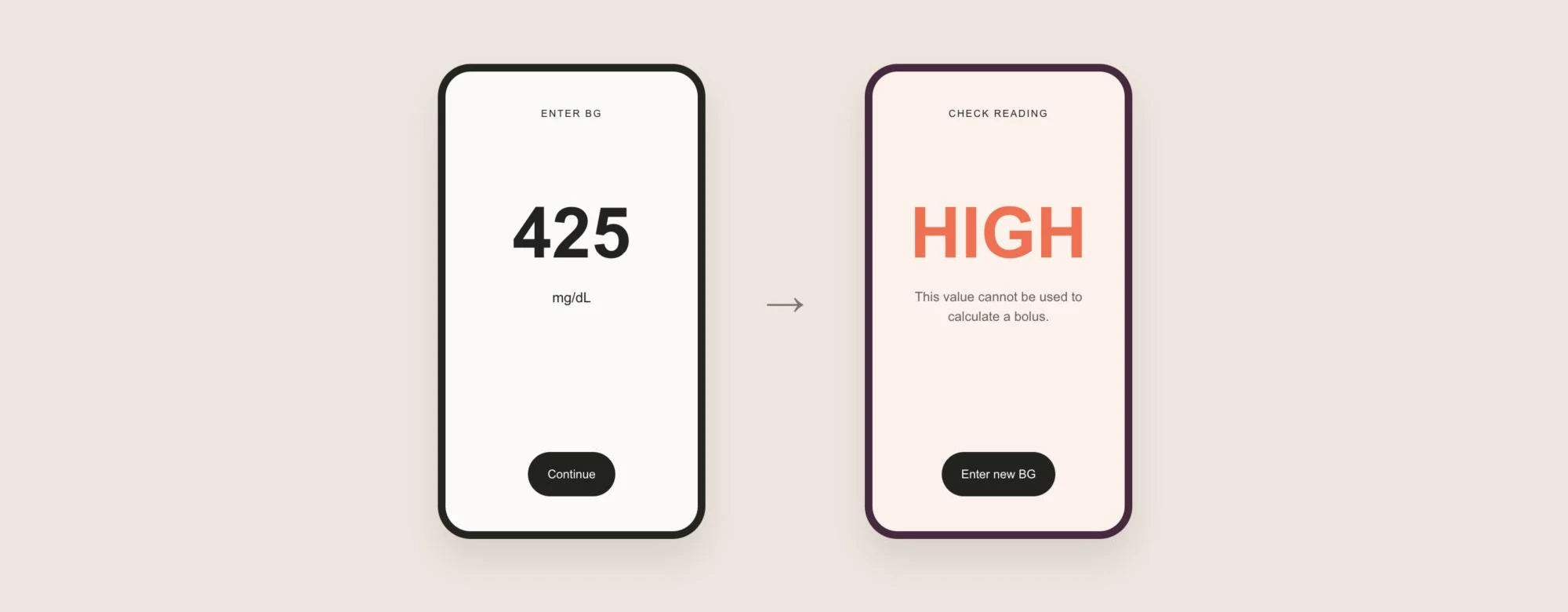
Users could enter a blood sugar reading, but only after tapping “Add to bolus” did the app explain that the reading could not be used to calculate an insulin dose.
What we changed
Readings outside the supported range appeared as HIGH or LOW, making their status visible on the entry screen.
Enter BG, flow and error states.
Why it helped
The feedback appeared earlier, so users could see the limit before moving to the dose screen.
Keep the explanation
If users continued, a message explained that the reading would not be included in the calculation. A disabled button alone would not explain why.
Outcomes and handover
What changed before validation?
I led the app design from the first workflows through usability testing and handover. The result was a revised, documented design covering setup and everyday treatment, ready for formal usability validation.
Design changes
I developed the app’s workflows and interface from the ground up, then refined setup, treatment settings and blood sugar entry through usability testing. The handover covered screen behaviour, wording and the shared design system.
Design handover
The workflows, design system and UI Design Document, a reference for screen behaviour and wording, gave engineering and testing teams a shared basis for implementation and review.
Next stage
We addressed the issues identified in usability testing and prepared the app for formal usability validation. The product progressed into further user and clinical studies.
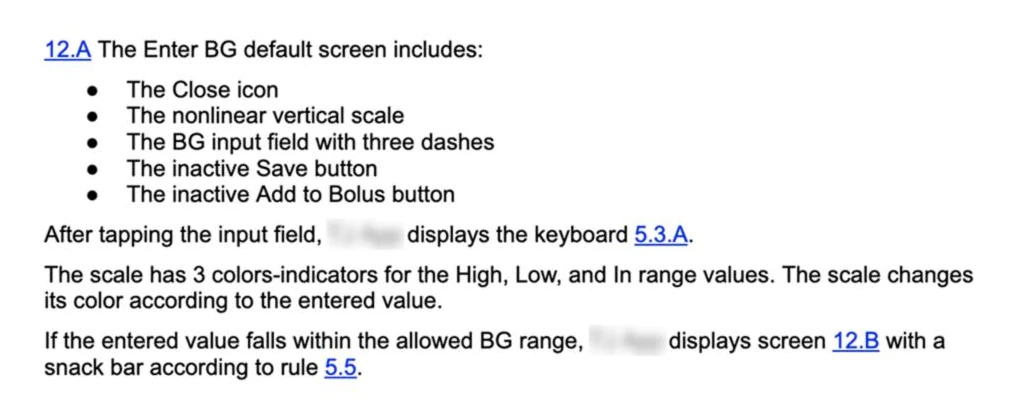
Design documentation: screen behaviour for blood sugar entry.
What I owned
Planned and conducted the early interviews
Facilitated multidisciplinary workshops to align the team
Turned findings into screen structure, workflows and interactive prototypes
Led design delivery with another designer from my team
Led the formal design reviews of the UI Design Document
Helped plan usability testing of the pump, printed instructions and app across the full setup journey
Worked with the research team to analyse task failures, difficulties and recovery
Revised workflows and interaction behaviour
Led interface design, on-screen wording, design-system work and documentation
A separate project 8 months
Continuing on an insulin-pump mobile app
After this project, I spent eight months as a Senior Designer on a separate insulin-pump app for users’ own smartphones. Working alongside other designers, I contributed treatment interactions, design-system work and interface documentation. The app has since launched and is used by people managing their diabetes.
Interactions and design system
I designed treatment-related interactions and contributed to the shared design system, building on what I had learned about clear feedback and consistent app behaviour.
Design documentation
I documented screen states and interactions so engineering, testing and review teams could understand the intended behaviour. This work supported regulatory submission.
Client names withheld. Both projects are covered by confidentiality agreements. This case study focuses on my role, design decisions and selected examples.